Across India, E-Commerce Sellers Are Sitting on Unclaimed Tax Credit They Don't Know Exists
Every time a customer places an order on Amazon or Flipkart, the platform deducts 1% of the sale value as Tax Collected at Source before sending the money to the seller. On a ₹10 lakh monthly GMV, that is ₹10,000 every month ₹1.2 lakh per year held by the government on the seller's behalf.
To get it back, the seller must log into the GST portal, go to the TDS and TCS Credit Received tile, and manually click "Accept."
If they don't click that button, the ₹10,000 sits in a government account. Unclaimed. Every month. Year after year.
Across India, a significant volume of TCS credit from e-commerce sellers remains unclaimed not because of a system bug, but because sellers don't know the step exists. Amazon's settlement report shows the deduction. The bank account is ₹10,000 short. But the connection between that deduction and a recoverable tax credit on the GST portal is invisible unless someone explains it.
This guide explains GST for e-commerce sellers completely from why registration is mandatory at zero turnover, to how TCS works, to the exact monthly compliance sequence that takes 40 minutes and keeps your account suspension-free.
The Rule That Surprises Every New Seller: Zero Turnover Threshold
For most businesses in India, GST registration is mandatory only when annual turnover exceeds ₹40 lakh (goods) or ₹20 lakh (services). You can run a small business for years without needing GST registration.
E-commerce sellers are specifically excluded from this threshold exemption under Section 24(ix) of the CGST Act, 2017.
If you supply goods or services through an e-commerce platform Amazon, Flipkart, Meesho, Myntra, Snapdeal, Nykaa, or any other marketplace where TCS under Section 52 applies GST registration is mandatory from your very first sale, regardless of turnover.
Sell ₹1 worth of goods on Flipkart register for GST.
This surprises new sellers constantly. Someone starts selling handmade products on Meesho expecting to test the market with small volumes. They receive their first payment after the platform deducts TCS. Then they receive their first account suspension notice because the GSTIN update in seller settings is overdue.
The platforms enforce this because they file GSTR-8 (their TCS return) for every seller on their platform. A seller without a GSTIN creates a compliance gap in the platform's own filings.
One important exception: If you sell only goods that are exempt from GST (certain agricultural products, fresh vegetables, unprocessed grains), the registration exemption may apply. But for the vast majority of e-commerce product categories electronics, clothing, books, personal care, home goods mandatory registration applies from Day 1.
How TCS Works The Complete Mechanics
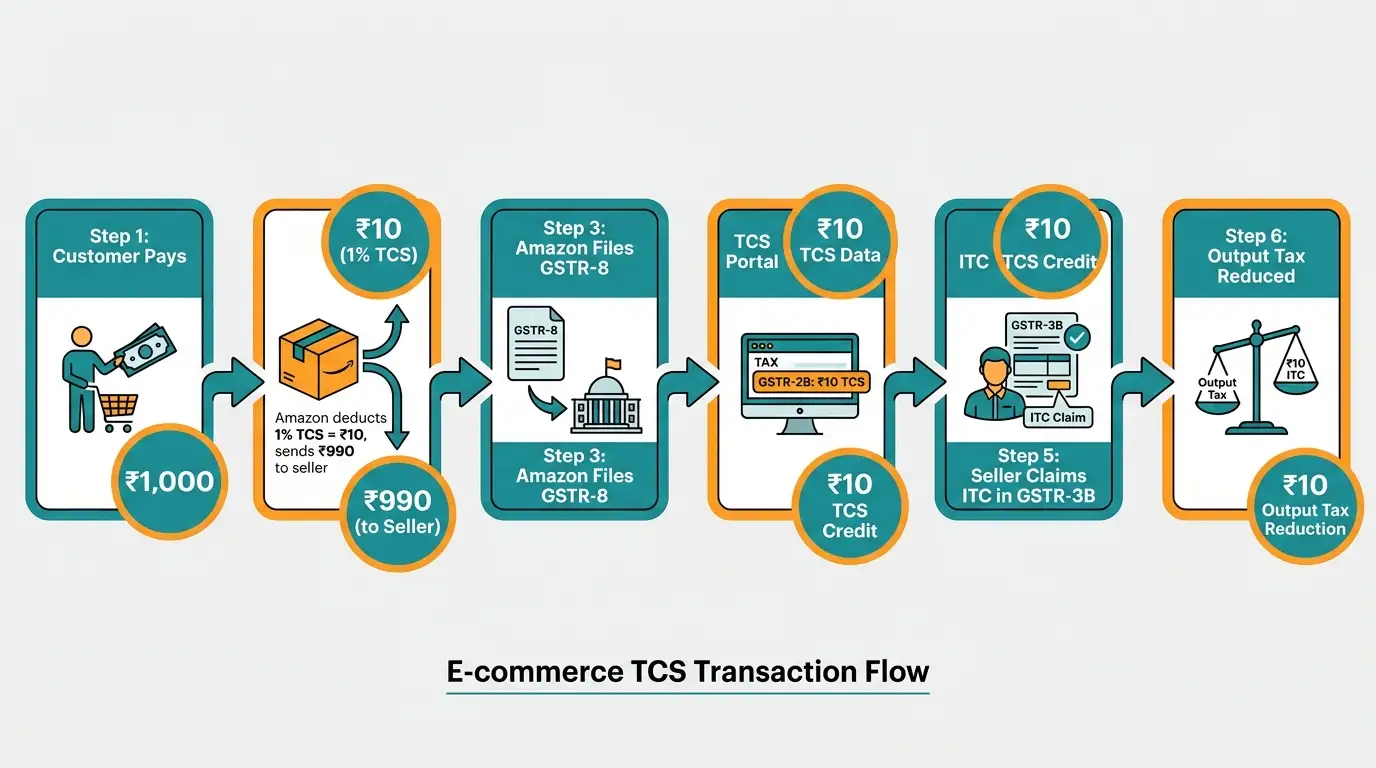
Tax Collected at Source (TCS) under Section 52 of the CGST Act is one of the more elegant tax collection mechanisms in the GST framework, but it confuses sellers because it is invisible in day-to-day operations.
The Flow
Step 1 → Customer places order: A buyer pays ₹1,180 for a product on Amazon (₹1,000 base + 18% GST = ₹1,180).
Step 2 → Amazon calculates TCS: TCS is calculated on the net taxable value the base price before GST, after returns and cancellations. On ₹1,000, TCS at 1% = ₹10. (Split as 0.5% CGST + 0.5% SGST for intrastate, or 1% IGST for interstate.)
Step 3 → Amazon remits to seller: Amazon sends the seller ₹1,000 minus commission minus TCS minus any other platform fees. The ₹10 TCS is not sent to the seller it goes to the government.
Step 4 → Amazon files GSTR-8: By the 10th of the following month, Amazon files GSTR-8 declaring all TCS collected from all sellers on the platform during the month.
Step 5 → TCS appears in seller's GSTR-2B: After Amazon's GSTR-8 filing, the ₹10 TCS credit appears in the seller's GSTR-2B under "TDS and TCS Credit Received."
Step 6 → Seller must manually accept: This is the step most sellers miss. The credit does not automatically apply. The seller must log in → Services → Returns → TDS and TCS Credit Received → select the relevant month → Accept.
Step 7 → Claim in GSTR-3B: After accepting, the ₹10 TCS credit appears as available credit in GSTR-3B → Table 8C. The seller's net GST payable is reduced by this amount.
The Numbers That Make TCS Worth Tracking
Monthly GMV | Monthly TCS Deducted | Annual TCS at Stake |
|---|---|---|
₹1 lakh | ₹1,000 | ₹12,000 |
₹5 lakh | ₹5,000 | ₹60,000 |
₹10 lakh | ₹10,000 | ₹1,20,000 |
₹50 lakh | ₹50,000 | ₹6,00,000 |
At ₹10 lakh monthly GMV, an e-commerce seller who never claims TCS leaves ₹1.2 lakh per year on the table.
Use the SmartGST TDS-GST Calculator to calculate your monthly TCS exposure based on your platform GMV.
GSTR-8 Reconciliation The Source of Most Seller Notices
GSTR-8 is the monthly return filed by e-commerce platforms not by sellers. It lists every seller on the platform, their total taxable sales for the month, and the TCS collected.
The reconciliation challenge: your GSTR-1 outward supply figures must match what Amazon or Flipkart reported in their GSTR-8. If they don't, you have a mismatch and mismatches generate notices.
Where mismatches happen:
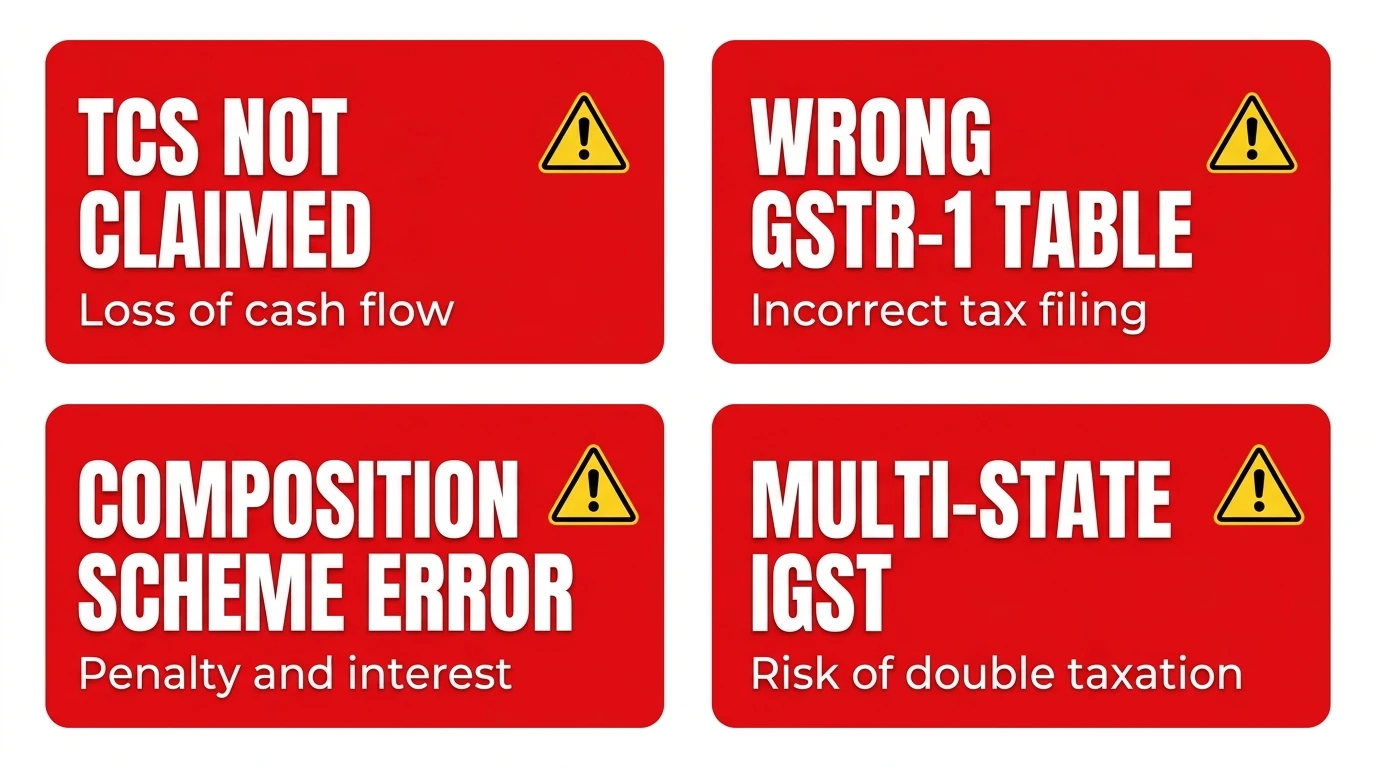
Mismatch 1 → Returns and cancellations Amazon's GSTR-8 is based on net sales (gross sales minus returns). If a customer returns a product in March but the original sale was in February, the return credit adjusts Amazon's GSTR-8 in March. Your GSTR-1 must report the credit note in March as well. If you report it in February (the month of original sale), the period-wise figures don't match.
Mismatch 2 → Settlement timing vs. supply date Amazon may settle payment in a different month than the supply date. GST reporting follows the supply date (invoice date), not the settlement date. Many sellers accidentally report based on when money hit their bank account — wrong basis.
Mismatch 3 → Replacement transactions When a customer reports a defective product and Amazon issues a replacement, it appears in your settlement report as a return followed by a new shipment. In GSTR-1, the original return is a credit note; the replacement is a new invoice. Sellers who don't book both incorrectly create a one-sided mismatch.
Mismatch 4 → Multi-state IGST vs CGST/SGST When you ship to a buyer in a different state, IGST applies. When buyer and seller are in the same state, CGST + SGST applies. Amazon's GSTR-8 splits TCS by state of supply. Your GSTR-1 must use the correct tax type (IGST or CGST+SGST) for each transaction. Software that auto-applies IGST on all sales regardless of buyer state creates tax-type mismatches.
Reconcile your platform settlement statement against GSTR-2B every month before filing GSTR-3B. Use the SmartGST GSTR-2B Reconciliation Tool to identify which line items are creating gaps.
Monthly Compliance Sequence for E-Commerce Sellers
This is the exact sequence every marketplace seller should follow every month.
By the 10th Download Platform Sales Report
Download your monthly settlement/transaction report from the Amazon Seller Central, Flipkart Seller Hub, or Meesho supplier portal. Note:
Gross sales value by state
Returns and cancellations by state
TCS deducted (the line item in the settlement report)
Platform commissions and fees (these carry GST you can claim ITC on them)
By the 11th File GSTR-1
Declare all outward supplies for the month:
Table 4 (B2B): Any GST-registered buyers (unlikely for most marketplace sellers but possible)
Table 5 (B2C inter-state): Sales to buyers in other states use IGST
Table 7 (B2C intra-state): Sales to buyers in your state use CGST + SGST
Table 8 (Exports and supplies through ECO): This is where marketplace sales are specifically reported. Use the sub-table for "Supplies through e-commerce operators"
After 10th Accept TCS Credit
After Amazon/Flipkart files their GSTR-8 (by the 10th), log into the GST portal: Services → Returns → TDS and TCS Credit Received → Select month → Review → Accept
This single step is worth ₹1,000 to ₹1,00,000+ per month depending on your volume.
By the 14th Review GSTR-2B
Check that:
TCS from all platforms is correctly reflected
Platform commission invoices (Amazon fee, Flipkart commission) are in GSTR-2B as ITC
Any discrepancy between GSTR-8 data and your own sales figures is identified
By the 20th File GSTR-3B
Table 3.1(a): Total outward taxable supplies
Table 4A(5): ITC from GSTR-2B (including TCS credit and platform commission ITC)
Table 6.1: Payment of taxes after ITC offset
Platform Commissions Claim This ITC Most Sellers Miss
Every marketplace charges commission on each sale. Amazon charges 2–15% depending on category. Flipkart charges similar. Meesho charges platform fees.
These commissions are services supplied by the platform to the seller. They carry GST at 18%. The platform issues a GST-compliant commission invoice (or credit note format) each month. You can claim the GST component as ITC.
On ₹10 lakh GMV with 10% commission:
Platform commission: ₹1,00,000
GST on commission (18%): ₹18,000
ITC claimable by seller: ₹18,000
Add this to TCS recovery (₹10,000) and total monthly credit not to miss: ₹28,000.
Check that platform commission invoices are appearing in your GSTR-2B. If they are not (especially for smaller platforms), contact the platform's seller support with a request for the GSTIN under which they file commissions.
Selling on Your Own Website Alongside Marketplaces
If you sell on both Amazon/Flipkart and your own website (Shopify, WooCommerce, direct), there are important differences:
Marketplace Sales (Amazon/Flipkart) | Own Website Sales | |
|---|---|---|
TCS applicability | Yes 1% deducted by platform | No TCS |
GSTR-1 Table | Table 8 (ECO supplies) | Table 4/5/7 (regular B2C/B2B) |
Invoice generation | Platform generates (check accuracy) | You generate |
GSTIN on invoice | Platform uses yours | Your invoice, your GSTIN |
Return/refund reporting | Platform report is basis | Your records are basis |
Both channels are reported in the same GSTR-1 and GSTR-3B. Just in different tables. Your GSTIN is the same regardless of channel.
What Happens If You Sell Without GST Registration
The consequences of selling on Amazon or Flipkart without GST registration are swift and multi-layered:
From the platform:
Account suspension (standard across all major platforms once the TCS mismatch is flagged)
Listing deactivation your products go invisible
Settlement holds payments already earned may be withheld pending compliance
From the GST department:
Back taxes from the first sale date under Section 73/74
Interest at 18% per annum on all tax that should have been collected
Penalty of 10% of tax due (minimum ₹10,000) for non-fraudulent cases
Penalty up to 100% of tax for deliberate non-registration
The back-tax calculation is unforgiving: If you sold ₹6 lakh worth of products at 18% GST over 6 months without registration, the department calculates ₹1,08,000 in uncollected GST plus interest from each monthly due date. You owe that even though you never collected it from customers.
Register before your first sale. Not after.
Multi-State Selling State Registration Requirements
Here is a nuance that trips up growing e-commerce businesses: if your goods are stored in fulfillment centers in multiple states, you may need GST registration in each of those states.
Amazon's FBA (Fulfillment by Amazon) program stores inventory across fulfillment centers in different states. When goods stored in an Amazon FC in Karnataka ship to a buyer in Karnataka, that is an intrastate supply CGST + SGST of Karnataka applies and you need a Karnataka GSTIN to report it correctly.
If your goods are stored only in your home state and you ship from there, you need only one GSTIN regardless of where buyers are located (inter-state IGST applies).
If you use Amazon FBA with inventory spread across Maharashtra, Karnataka, Delhi, and Tamil Nadu FCs you likely need registration in each of those states. Many sellers discover this only when Amazon sends a notice that their FC state GSTIN is missing.
Verify your inventory locations in Amazon Seller Central → Inventory → Fulfillment Centers. Cross-reference with the states where you have active GST registration.
The GST Compliance Calendar for E-Commerce Sellers
Date | Action | Why |
|---|---|---|
10th of month | Accept TCS credit on GST portal (after platforms file GSTR-8) | Recover 1% TCS monthly |
11th of month | File GSTR-1 (marketplace sales in Table 8, website sales in other tables) | Mandatory return |
14th of month | GSTR-2B generates verify TCS and commission ITC | Reconcile before GSTR-3B |
20th of month | File GSTR-3B, pay net tax, apply ITC including TCS | Mandatory return |
10th of next month | Verify platform's GSTR-8 matches your GSTR-1 | Catch mismatches early |
31 December | File GSTR-9 annual return (if turnover exceeds ₹2 crore) | Annual compliance |
Tools for E-Commerce GST Compliance
TDS-GST Calculator → Calculate your monthly TCS liability based on GMV and product category. Know exactly how much TCS to expect before it hits your settlement.
GSTR-2B Reconciliation Tool → Match your platform sales report against GSTR-2B line by line. The only reliable way to catch GSTR-8 vs GSTR-1 mismatches before they become notices.
GST Calculator →Calculate output GST on any sale amount useful for pricing products with the correct GST margin built in.
GSTIN Validator → Verify your own GSTIN is active and correctly formatted before uploading to Amazon/Flipkart seller settings.
HSN Code Finder → Find the correct HSN code for each product category. Incorrect HSN codes in GSTR-1 create classification mismatches with the platform's own data.
GST Registration Status → Check your GSTIN status before filing returns ensures your registration is Active and not inadvertently suspended.
Compliance Checklist → Full monthly compliance checklist for e-commerce sellers covering GSTR-1, GSTR-3B, TCS acceptance, and GSTR-8 reconciliation.
GST Notice Reply Generator → If a notice has arrived for TCS mismatch, GSTR-8 discrepancy, or non-registration, draft a structured response here.
Related Articles on SmartGST
GSTR-2B Mismatch: Why Your ITC Is Blocked and How to Fix It → TCS reconciliation failures show up as GSTR-2B mismatches. This guide covers the fix for every type.
How to Verify a Fake GST Invoice → As a seller, verify any GST-registered vendors you buy inventory from → fake GSTIN on your purchase invoices blocks your ITC.
GST for Freelancers India 2026 — If you sell digital products or services through marketplaces, the freelancer guide covers your specific compliance angle.
GST 2.0 New Rate Structure 2025-26 → Many product categories changed rates under GST 2.0. Verify your HSN codes and applicable rates are updated in your Amazon/Flipkart product listings.
GST Invoice Management System (IMS) Complete Guide → Platform commission invoices appear in IMS. Accept them monthly to ensure ITC on commissions flows correctly to GSTR-3B.
References
Section 24(ix), CGST Act, 2017 → Mandatory registration for e-commerce sellers
Section 52, CGST Act, 2017 → Tax Collected at Source by e-commerce operators
Rule 67A, CGST Rules, 2017 → GSTR-8 filing by e-commerce operators
CBIC Circular No. 194/06/2023-GST → Clarification on e-commerce TCS provisions
GSTN Advisory on TCS Credit Acceptance → October 2024
Amazon India Seller FAQ on GST Compliance → sell.amazon.in
Flipkart Seller Hub → GST Registration and TCS Documentation
MyGSTIndia → E-Commerce GST Guide 2026 Research Data
National Institute of Public Finance and Policy → E-Commerce Tax Compliance in India, 2025
Section 73/74, CGST Act, 2017 → Penalty provisions for non-registration and underpayment
₹10,000 a Month Is Sitting on the GST Portal. Go Get It.
The TCS credit acceptance step is the most specific, most actionable, most financially impactful thing this guide has told you. If you sell ₹10 lakh monthly on Amazon and haven't been accepting TCS, log into the GST portal right now. Services → Returns → TDS and TCS Credit Received. Accept all pending months.
That one step, done today, recovers money already owed to you.
For every compliance update, GSTN advisory, and platform-specific GST change explained in plain English the day it happens:
Content verified against Section 24(ix) and Section 52 of CGST Act 2017, CBIC Circular No. 194/06/2023-GST, and GSTN TCS advisory. Last updated: 9 June 2026. Consult a CA for multi-state registration requirements specific to your fulfillment model.