How to Download GST Registration Certificate Online in 3 Minutes (2026 Complete Guide)
By SmartGST Editorial Team | Updated: April 2026 | 13 min read
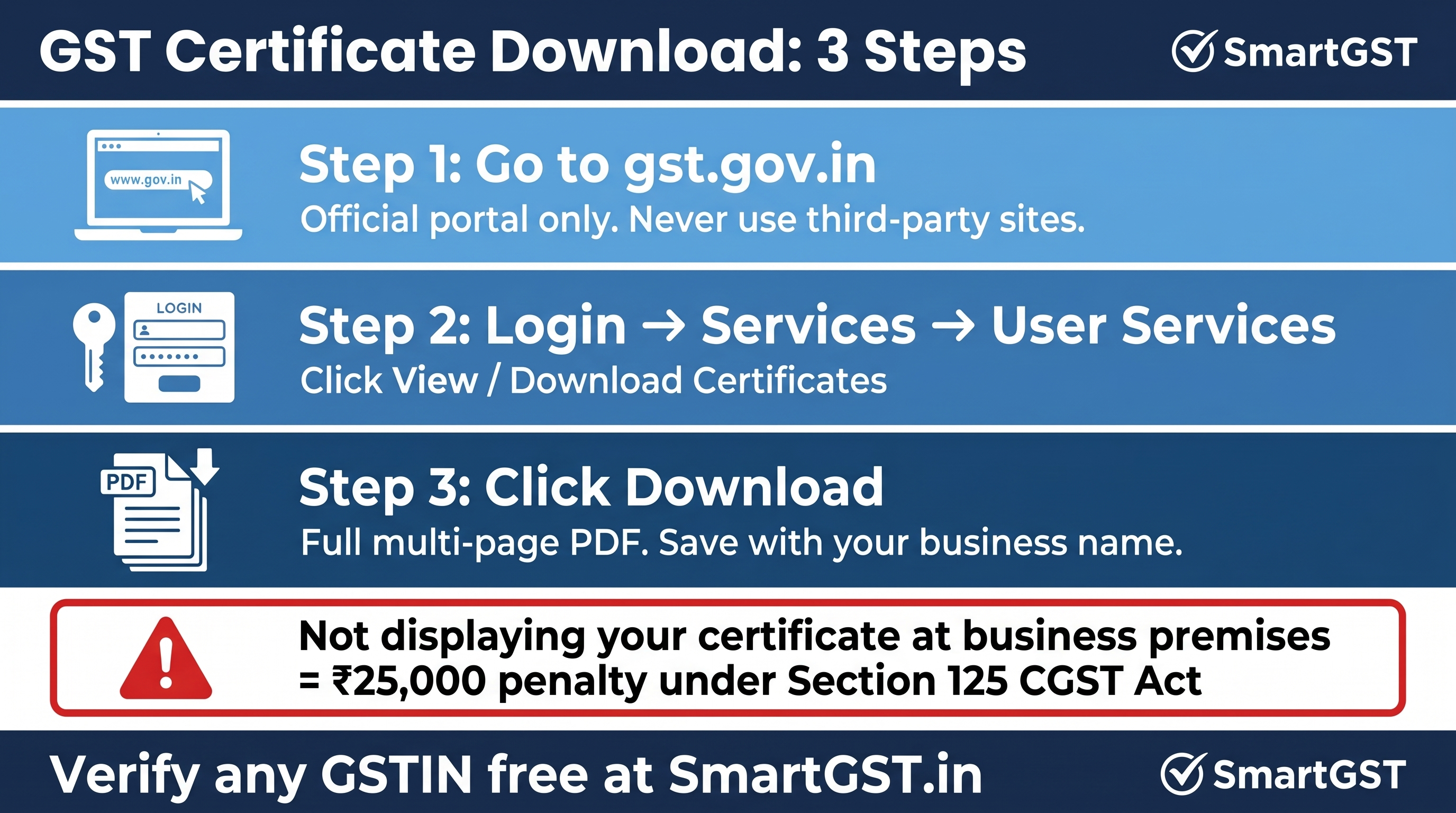
Quick answer for those in a hurry: Login to gst.gov.in → Services → User Services → View/Download Certificates → Click Download. That's it. Your GST Registration Certificate (Form GST REG-06) downloads as a PDF instantly.
Still confused or facing an error? Read the full guide below I cover every problem including lost password, cancelled GSTIN, amended certificate, and the ₹25,000 penalty most businesses don't know about.
What Is a GST Registration Certificate and Why Do You Need It Right Now?
Your GST Registration Certificate officially called Form GST REG-06 is the government-issued proof that your business is legally registered under GST.
It is not just a formality. Every single time you:
Open a current bank account for your business
Bid for a government tender or contract
Sign a vendor agreement with a large company
File your GST returns
Claim Input Tax Credit on purchases
Get audited by a CA
...someone asks for this certificate. And if you cannot produce it immediately, deals stall, payments get blocked, and audits get complicated.
Here is something most businesses do not know: displaying your GST certificate at your principal place of business is legally mandatory under CGST Rule 18(1). Not doing so attracts a penalty of ₹25,000. Not a warning an actual penalty.
The government does not mail you a physical copy. It lives on the GST portal. You download it yourself, whenever you need it, as many times as you want. Let me show you exactly how.
What Does a GST Registration Certificate Contain?
Before you download, it helps to know what you are looking at. Your Form GST REG-06 contains:
Field | Details |
|---|---|
GSTIN | Your unique 15-digit GST Identification Number |
Legal Name | Business name exactly as registered |
Trade Name | Operating name if different from legal name |
Constitution | Proprietorship / Partnership / Company / LLP etc. |
Principal Place of Business | Your main registered address |
Additional Places of Business | Branch offices, warehouses, outlets |
Date of Registration | When your GST registration was approved |
Type of Registration | Regular / Composition / Casual / Non-Resident |
Approving Authority | The officer who approved your registration |
Valid Upto | Blank for regular taxpayers = lifetime validity |
⚠️ Important: Many businesses send only Page 1 of the certificate to vendors and banks. That is a mistake. The full Form GST REG-06 is a multi-page document. Banks and GST officers require the complete PDF not a screenshot, not Page 1 alone. Always send the full document.
Step-by-Step: How to Download GST Certificate Online (2026)
I am walking you through the exact process as it works on the GST portal today.
Step 1: Go to the Official GST Portal
Open your browser and go to www.gst.gov.in
Do not use any third-party website or app. The certificate is only available on the official portal. Any site asking you to "pay" to download your certificate is a scam.
Step 2: Log In With Your Credentials
Click the Login button on the top right corner of the homepage.
Enter:
Username → your GSTIN or the username you created during registration
Password → your GST portal password
Captcha code → the characters shown in the image
Click Login.
🔑 Forgot your password? Click "Forgot Password" on the login page. Enter your GSTIN and the registered email or mobile number. An OTP arrives within 60 seconds. Use it to reset your password and log in.
Lost access to the registered email/mobile? You need to visit your jurisdictional GST officer with identity proof to update the authorised signatory details. Your CA can help expedite this.
Step 3: Navigate to View/Download Certificates
Once you are logged in and on the dashboard:
Click on Services in the top navigation menu
From the dropdown, click on User Services
Click on View / Download Certificates
You will see a list of all certificates issued under your GSTIN in descending order, newest first.
Step 4: Download the Certificate PDF
Find the Registration Certificate (Form GST REG-06) in the list.
Click the Download icon (⬇) in the Download column next to it.
The certificate downloads immediately as a PDF file to your device.
That is it. The entire process takes under 3 minutes.
💡 Pro tip: Save the PDF with a clear name immediately after download. Use this format:
BusinessName_GSTIN_GST_Certificate_2026.pdfYou will search for this file again in 6 months, guaranteed. Store it in Google Drive or Dropbox so you can share it from your phone anytime.
How to Verify Any Business's GST Certificate in 30 Seconds
You do not need to log in to verify someone else's GSTIN. But you also cannot download their certificate the certificate is private to the registered taxpayer.
What you can do and what every business must do before making a payment to any vendor is verify that their GSTIN is active and genuine.
🔍 Use the SmartGST GSTIN Validator to verify any GST number instantly. Paste the GSTIN, get the status in 2 seconds Active, Suspended, or Cancelled.
This matters more than most businesses realize. If you make a payment to a vendor with a cancelled or fake GSTIN, your entire Input Tax Credit claim for that invoice fails. You pay the tax twice once to the vendor, and once when the ITC is reversed.
🔍 Need to verify multiple vendors at once? Use the SmartGST Bulk GSTIN Validator paste up to 100 GSTINs together and get the status of all in one go.
Downloaded Certificate But GSTIN Status Shows Suspended What Now?
This catches businesses off guard. You successfully download the certificate but when you or a vendor checks your GSTIN, it shows Suspended or Cancelled.
A downloaded certificate does not mean your registration is currently active. The certificate shows your registration details at the time of issue. Your current GSTIN status can be different.
Why GST registration gets suspended:
Pending GST returns for more than 6 months the most common reason
Mismatch in return data flagged by the system
Non-compliance notices not responded to
What to do immediately:
Check your GST return filing status using the SmartGST GST Return Tracker
File all pending returns GSTR-1 and GSTR-3B first
Once returns are filed and dues cleared, apply for revocation of suspension through the GST portal
Do not share a certificate with a Suspended GSTIN with vendors or banks. It damages your credibility and they will reject your ITC invoices.
Amended Your GST Details? Download the Updated Certificate
If you have changed any details in your GST registration business address, trade name, additional place of business, authorised signatory you need to download the amended certificate after the amendment is approved.
The GST portal keeps all versions of your certificate. When you go to Services → User Services → View/Download Certificates, all issued certificates appear in the list including older versions and the latest amended one.
Always download the newest version → it is listed at the top (newest first). The amended certificate has the updated address format and revised details.
⚠️ Sending an old certificate with an outdated address to a bank or during a GST audit is a compliance risk. Make it a habit to re-download after every approved amendment.
GST Certificate Validity How Long Is It Valid?
This is one of the most common questions I get. The answer depends on your registration type:
Registration Type | Validity |
|---|---|
Regular taxpayer | No expiry valid for lifetime as long as registration is active |
Composition scheme taxpayer | No expiry same as regular |
Casual taxable person | Maximum 90 days from effective date of registration |
Non-resident taxable person | Maximum 90 days, extendable on application |
For regular businesses traders, manufacturers, service providers, eCommerce sellers your GST certificate never expires as long as:
You file GST returns on time
No cancellation order is issued
You do not voluntarily surrender the registration
The ₹25,000 Penalty Most Businesses Ignore
I mentioned this at the start and I want to come back to it because very few businesses take it seriously.
CGST Rule 18(1) says every registered person must display the GST Registration Certificate prominently at their principal place of business and at every additional place of business.
The penalty for not displaying: ₹25,000 under Section 125 of the CGST Act for a general penalty for contravention.
Print the certificate. Frame it. Display it near the entrance of your shop, office, warehouse, or clinic. This is not optional.
5 Common Problems and Exact Solutions
Problem 1: Certificate Not Showing in the List
Cause: Your registration may still be pending approval, or you are logged in with the wrong credentials.
Solution: Check your application status. Go to Services → Registration → Track Application Status. If your application is approved but certificate is not showing, wait 24 hours and try again the portal sometimes takes time to populate.
Problem 2: PDF Downloaded But Opens Blank or Corrupted
Cause: Download interrupted, or browser PDF viewer issue.
Solution: Right-click the download link → Save As → open with Adobe Acrobat Reader specifically, not your browser's built-in PDF viewer. If still blank, clear browser cache and re-download.
Problem 3: Certificate Shows Old Address After Amendment
Cause: You are downloading an older version of the certificate.
Solution: In the certificates list, check the date column. Download the certificate with the latest date that is your amended certificate with the updated address.
Problem 4: Login Credentials Not Working
Cause: Password expired, or account locked after multiple failed attempts.
Solution: Use "Forgot Password" on the login page. If your registered mobile/email is no longer accessible, contact your jurisdictional GST officer with proof of identity.
Problem 5: GSTIN Shows Cancelled When Trying to Download
Cause: Registration was cancelled either by you voluntarily, by the tax authority due to non-compliance, or due to no return filing for 6+ months.
Solution: If cancelled by tax authority and you want to continue business file a revocation application within 30 days of the cancellation order through Services → Registration → Application for Revocation of Cancelled Registration. If the 30-day window has passed, you need to apply for fresh registration.
📖 For a complete understanding of GST compliance, penalties, and how to handle GST notices, read the SmartGST GST Late Fee and Penalty Complete Guide 2026.
GST Certificate for New Businesses Timeline to Expect
If you have applied for GST registration and are waiting for your certificate, here is the realistic timeline:
Scenario | Timeline |
|---|---|
Application with all documents correct | Certificate issued within 7 working days |
Application flagged for verification | Officer visits business premises — up to 30 days |
Application with Aadhaar authentication completed | Often faster — 3–5 working days |
Application rejected due to document issues | Reapply after correction — fresh 7-day timeline |
Once issued, you receive an email notification on your registered email address. Log in and download immediately.
How to Share Your GST Certificate the Right Way
A surprising number of businesses share their GST certificate incorrectly and face problems later.
Do this:
Share the complete multi-page PDF not just a screenshot of Page 1
Before sharing, verify your GSTIN is active using the SmartGST GSTIN Validator
Download the latest version if you have had any amendments approved recently
Share from official business email not personal WhatsApp
Do not do this:
Do not share PDF passwords or GST portal login credentials when sharing the certificate
Do not share certificates with Suspended GSTIN status fix the status first
Do not use third-party services that ask for your GST login to "generate" your certificate
Frequently Asked Questions
Q1. Can I download my GST certificate without logging in?
No. The GST Registration Certificate (Form GST REG-06) is a private legal document. You must log in to the GST portal with your credentials to download it. Anyone can verify that a GSTIN is active using the Search Taxpayer feature but downloading the certificate requires login.
Q2. Is there any fee to download the GST certificate?
Zero. Downloading your GST Registration Certificate from the official portal at gst.gov.in is completely free. Any website or service charging you a fee to download it is unnecessary at best, a scam at worst.
Q3. How many times can I download my GST certificate?
Unlimited times. There is no restriction on how many times you download it. Every download gives you the same official PDF. Download it as many times as you need.
Q4. My GST certificate shows an old address. How do I update it?
File an amendment application on the GST portal → Services → Registration → Amendment of Registration (Non-Core Fields for address changes, Core Fields for other changes). Once the amendment is approved, the updated certificate automatically appears in your View/Download Certificates section. Download the new version.
Q5. Does the GST certificate expire every year?
No. For regular taxpayers, the GST Registration Certificate has no annual expiry. It remains valid for the lifetime of your registration. You do not need to renew it each year. It only becomes invalid if your registration is suspended or cancelled.
Q6. I am a CA downloading a certificate on behalf of my client. How do I do it?
Log in using your client's GST portal credentials (with their authorisation). Navigate to Services → User Services → View/Download Certificates and download. Alternatively, if you are an authorised signatory added to their registration, you can log in with your own credentials linked to their GSTIN.
Q7. What is the difference between a GST certificate and a GST registration number?
Your GST Registration Number (GSTIN) is the 15-digit alphanumeric code for example, 27ABCDE1234F1Z5. The GST Registration Certificate (Form GST REG-06) is the full official document that contains your GSTIN along with all your business details, address, registration type, and approving authority information. Vendors and banks need the certificate a GSTIN number alone is not sufficient for formal submissions.
Q8. Can I check the GST registration status of another business?
Yes but you cannot download their certificate. Use the Search Taxpayer feature on gst.gov.in to check if any GSTIN is Active, Suspended, or Cancelled. For faster verification, use the SmartGST GSTIN Validator which gives you the status instantly.
The Bottom Line
Downloading your GST Registration Certificate takes 3 minutes. The steps are simple:
gst.gov.in → Login → Services → User Services → View/Download Certificates → Download
But the issues that come from not having it handy stalled bank accounts, failed ITC claims, delayed vendor onboarding, compliance penalties cost far more than 3 minutes.
Download it today. Save it in the cloud. And before every major payment to a new vendor, verify their GSTIN is genuinely active not just take their word for it.
🛠️ Tools to Keep Your GST Compliance Clean:
GSTIN Validator → Verify any GST number before making payments
Bulk GSTIN Validator → Verify up to 100 GSTINs at once
GST Return Tracker → Check your GST filing status instantly
GST Registration Status Checker → Track your registration status
Due Date Calendar → Never miss a GST filing deadline
📖 Related Articles:
This article is for informational purposes only. GST portal navigation may change with GSTN updates. Always refer to gst.gov.in for the most current interface.
Last updated: April 2026 | Sources: CGST Act 2017, CGST Rules 2017 Rule 18(1), GST Portal Official Documentation, CBIC Notifications